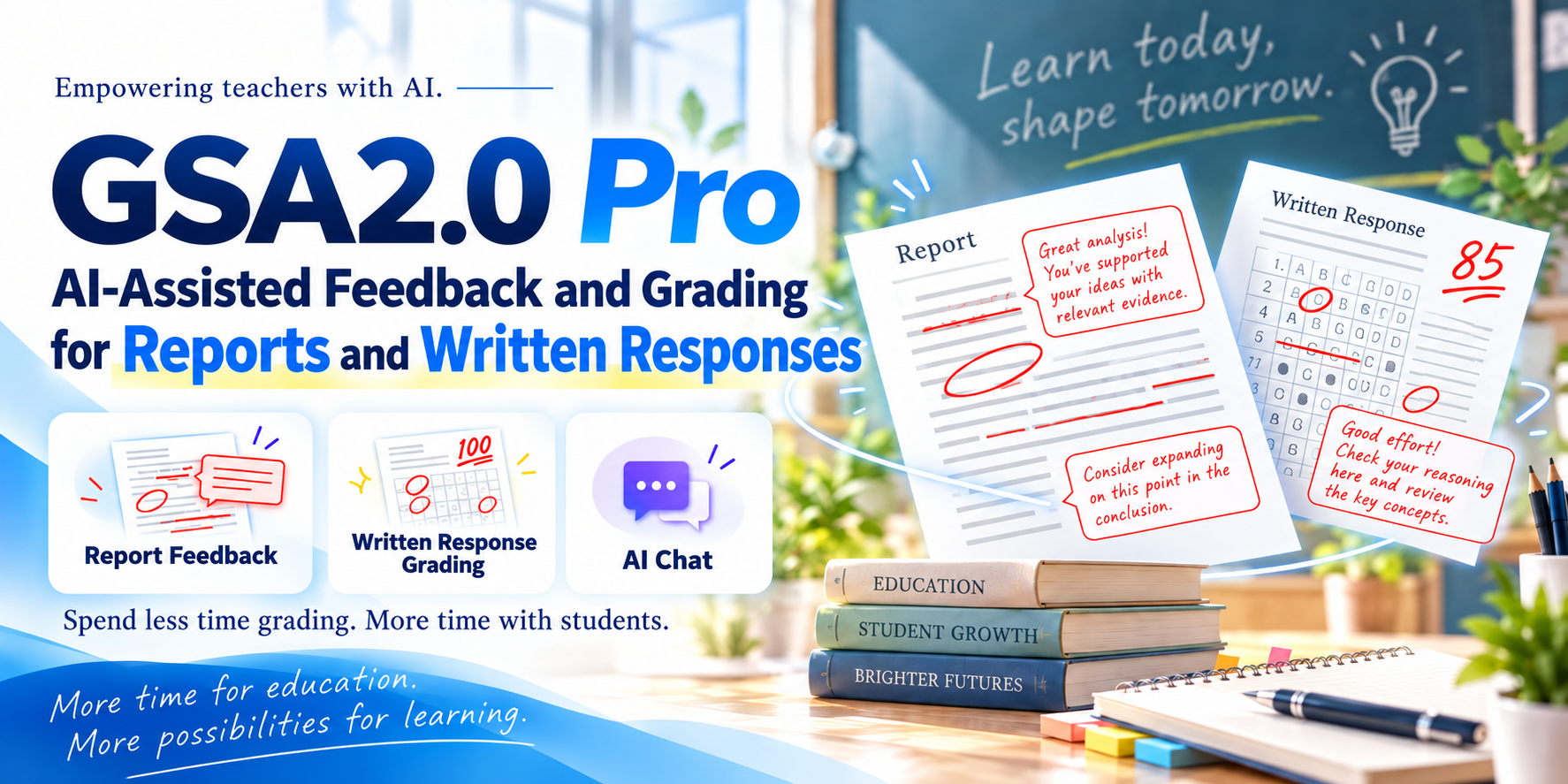
GSA2.0 PRO / GRADING SUPPORT ASSISTANT
Less time grading.
More time teaching.
From written responses to Word and PDF reports, GSA2.0 Pro helps teachers grade, review, and prepare meaningful feedback with AI—using the assessment criteria and instructions they set themselves.
For educators. Available by request, not as a public direct download. Applications are accepted year-round, with no enrollment cap.
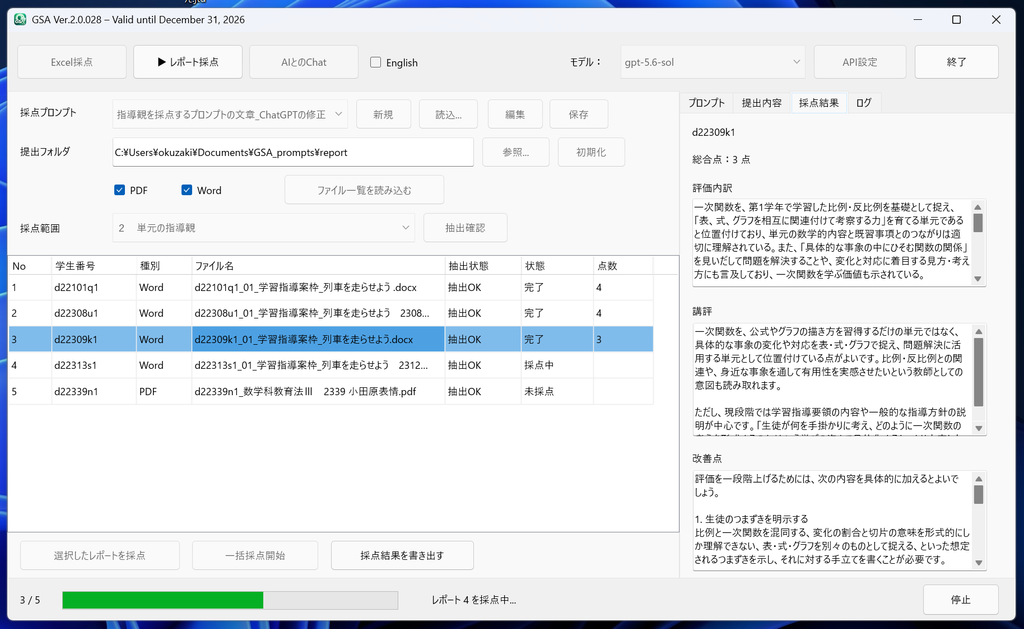
WHAT GSA2.0 CAN DO
Three ways to support your work
GSA2.0 is not designed to hand educational judgment over to AI. You define the rubric, scoring criteria, and feedback instructions. AI helps prepare assessments and comments for you to review.
Grade written answers in batches
Process multiple responses organized in Excel using one set of scoring criteria and instructions. Review proposed scores, explanations, and suggestions for improvement—not just numerical marks.
Review Word and PDF reports
Evaluate and comment on submitted reports using consistent criteria. When many files need attention, GSA2.0 can help prepare individual feedback drafts for the teacher to check.
Discuss ideas and prepare teaching materials
Use AI chat beyond grading to review writing, discuss feedback, and work with reference materials. File exchange is available where supported by the selected AI service.
SEE IT IN ACTION
Explore GSA2.0 in four videos
The videos show how GSA2.0 works in practice. Start with the overview, or go directly to the feature that interests you. The demonstrations were created for the Japanese-language introduction, so some on-screen text may be in Japanese.
VIDEO 01 / START HERE
Start with the overview
An introduction to the main features: Excel-based grading, assessment of reports, and conversations with AI.
Watch on YouTube ↗02 / Batch grading with Excel
See how written responses organized in a spreadsheet can be graded in a batch.
03 / Report grading and feedback
See how submitted Word and PDF documents are handled and reviewed.
04 / AI chat
Explore conversations with AI and workflows that involve files.
A SIMPLE WORKFLOW
From rubric to feedback in four steps
Set your criteria
Describe the rubric, scoring scale, evaluation points, and desired feedback style in plain language.
Load submissions
Choose Excel response data or the Word and PDF reports you want to assess.
Generate draft assessments
AI processes the submissions and proposes scores and feedback.
Review as the teacher
Check the results, make any necessary changes, and decide how they should be used.
A LOOK INSIDE
Screenshots from GSA2.0
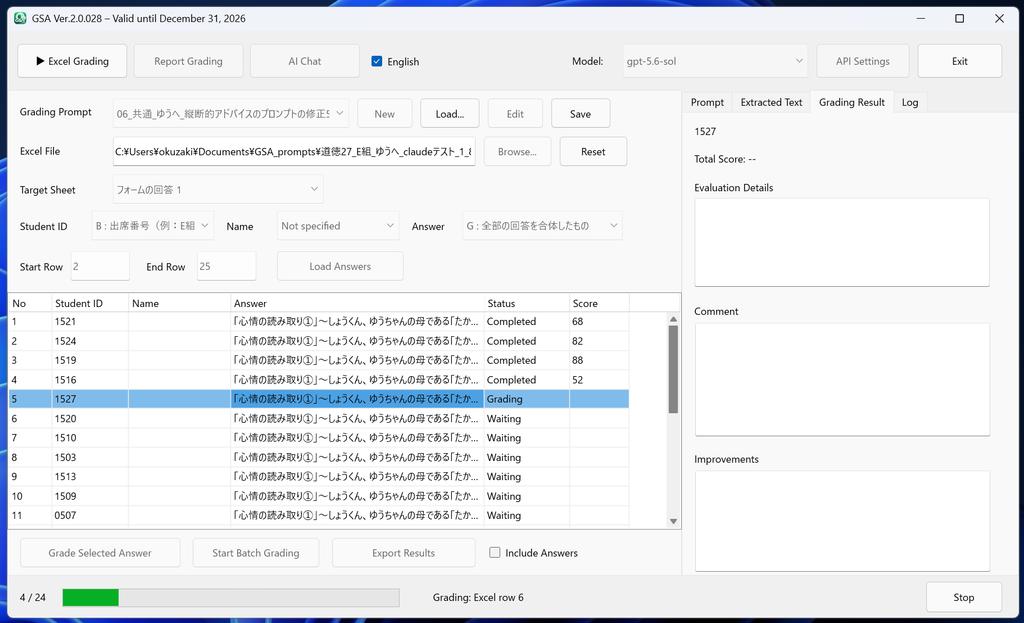
Batch grading of written responses
Review multiple responses and proposed AI grading results in an organized view.
Grading Word and PDF reports
Review submitted files and their feedback in one place.
Screenshots are from a development version. Interface labels and available features may vary between releases; screenshots may show Japanese text.
AI supports professional judgment. It does not replace it.
Generative AI may produce errors or inconsistent evaluations. Treat GSA2.0’s suggested scores and feedback as drafts. The teacher should always review and determine the final assessment. Before submitting student work or sensitive material, consult your institution’s privacy policies and the data-handling terms of your chosen AI provider.
REQUEST GSA2.0 PRO
Interested in using GSA2.0 Pro?
We welcome requests from educators in Japan and around the world, at any time and with no limit on the number of applicants. Use the form linked below to get in touch. After reviewing your request, we will send you download instructions by email.
Unlike GSA1.9 and earlier, which were offered as public downloads, GSA2.0 uses a request-based distribution process. We hope this will help us connect with educators, learn from their experiences, and improve the software based on real classroom needs.
An institutional email address is preferred if available. Part-time teachers, alternative education providers, and other education professionals are also welcome to apply.
How to complete the request form
The current form is a general Japanese-language contact form. To ensure we can reply, enter your email address in the field labeled 「お名前」 (Name). In the field labeled 「感想・質問」 (Comments / Questions), please provide the following details in English:
These instructions will be updated if a dedicated GSA2.0 application form becomes available.
BEFORE YOU GET STARTED
Frequently asked questions
What do I need to use GSA2.0 Pro?
You need a Windows computer and an API key for your preferred AI service, such as OpenAI, Claude, or Gemini. API access must be registered and configured separately from a regular ChatGPT or other consumer chat subscription.
Does GSA2.0 Pro cost anything?
The GSA2.0 Pro application is currently provided at no charge. However, you are responsible for any API usage charges from OpenAI, Claude, Gemini, or your selected AI service. Charges vary according to the model and how much you use it.
Who can apply, and when?
Educators can request access at any time. There is no application deadline and no limit on the number of applicants. We would like more teachers to try the software and share suggestions that can guide its future development.
Why does the current version have an end date?
Generative AI is developing rapidly: the available models and their capabilities change frequently. We plan regular GSA2.0 updates to keep pace with these developments. For this reason, the currently distributed version is available for use until December 31, 2026. We will provide further information about subsequent versions and distribution arrangements.
Why is access provided by request instead of direct download?
GSA1.9 and earlier were freely downloadable. With GSA2.0, we would like to communicate more actively with educators who use the software, hear about classroom applications and areas for improvement, and develop a tool that genuinely helps teachers.
Can I use AI-generated scores as final grades?
No. AI-generated scores, evaluations, and comments can be incorrect or inconsistent. A qualified educator must review and determine the final assessment.
Can I upload files containing student personal information?
Content submitted for assessment is sent to the AI service you select. Follow your institution’s policies and the provider’s data-handling terms. Where appropriate, remove identifying details or use other required safeguards before processing students’ work.
コメントを残す